This short blog post explains how you can use SysInternals Live to run its utilities from Windows and Windows Subsystem for Linux shells without explicitly downloading or installing them.
In a Windows shell , you can invoke SysInternals Live utilities such as:
\\live.sysinternals.com\tools\handle
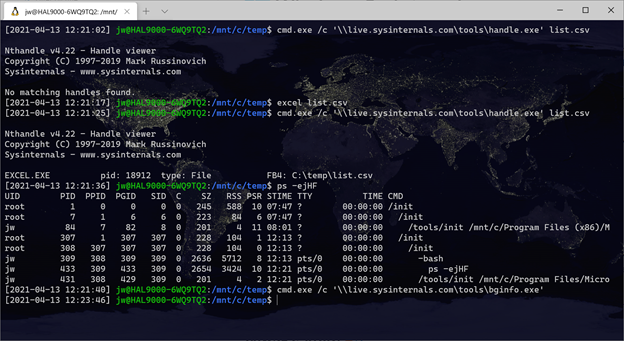
You can use cmd.exe /c to invoke SysInternals Live utilities from a Windows Subsystem for Linux shell Window. For example, to see what processes own file handles, you can run:
cmd.exe /c '\\live.sysinternals.com\tools\handle.exe'
Here you can see the Windows process ID of the EXCEL.EXE process that owns a handle on a file.
 wslguy.net