
This blog post provides two aliases to change the Windows primary display orientation. First, download display64.exe: Then, define some aliases to use it, typically in .bashrc (see https://wslguy.net/2021/02/13/wsl-configure-bash-shell-initialization):
Author Archives: John West
Using Windows Command Line Tool Output in Bash under WSL
This blog post explains how you can use the output of Windows Command Prompt commands in Bash scripts under WSL. In Bash under WSL, I want to use the output of the tree command to list the contents of a WSL directory. Tree is unusual in a few ways: it is part of cmd.exe, notContinue reading “Using Windows Command Line Tool Output in Bash under WSL”
Use PowerShell To Paste From the Windows Clipboard to the WSL Bash Command Line

This blog post explains how you can use PowerShell to paste text from the Windows clipboard to the WSL Bash command line. Windows provides clip.exe, which can copy stdoud to the Windows clipboard. Windows does not provide paste.exe, which logically would paste from the Windows clipboard to stdin. We can use the following PowerShell asContinue reading “Use PowerShell To Paste From the Windows Clipboard to the WSL Bash Command Line”
Notes from Ripping CDs with WSL in 2024

This blog post describes my experiences ripping CDs to .flac files in late 2024. I had a relatively large collection of music compact discs (CDs) before I inherited at least three times as much from some relatives. I decided to digitize it to .flac (lossless but large) and to convert those files to .mp3 whenContinue reading “Notes from Ripping CDs with WSL in 2024”
Quick Intro to the tmux Terminal Multiplexer
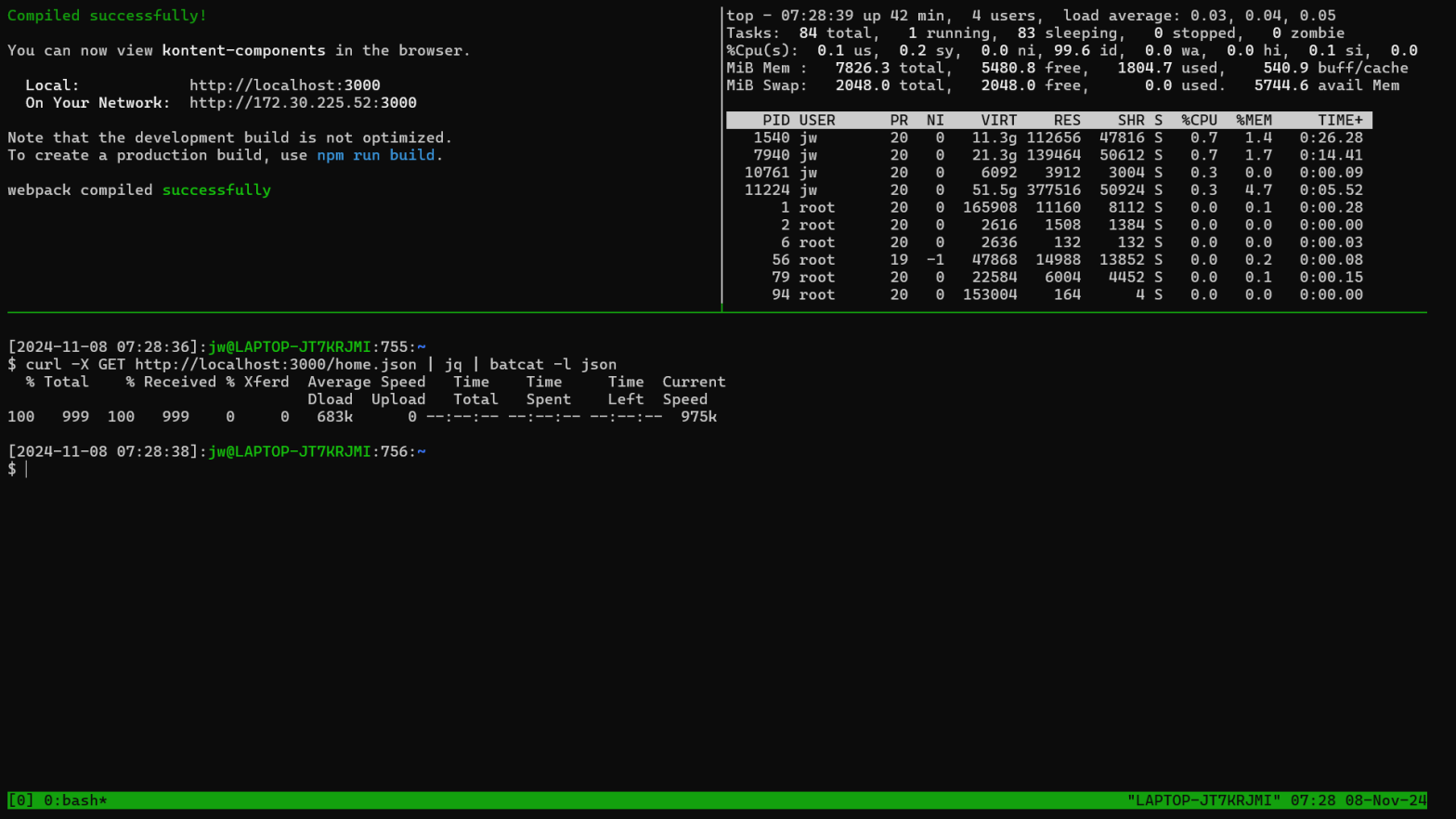
This blog post introduces tmux, which is a terminal multiplexer for multiple command line shells in different windowpanes within a single operating system window. The video associated with this post demonstrates monitoring the output from a server application in one pane and resource utilization in another pane while allowing the developer to invoke commands inContinue reading “Quick Intro to the tmux Terminal Multiplexer”
Use OneDrive (or otherwise) to Share WSL Bash Shell Command History Between Accounts and Machines

This blog post explains how you can use OneDrive to share Bash shell history between different accounts and machines. Sharing OneDrive including bin and my personal Bash configuration to multiple Windows machines with WSL has been highly valuable for me. For example, I use a shared file on OneDrive to configure Bash for all accountsContinue reading “Use OneDrive (or otherwise) to Share WSL Bash Shell Command History Between Accounts and Machines”
One Explanation for docker : command not found
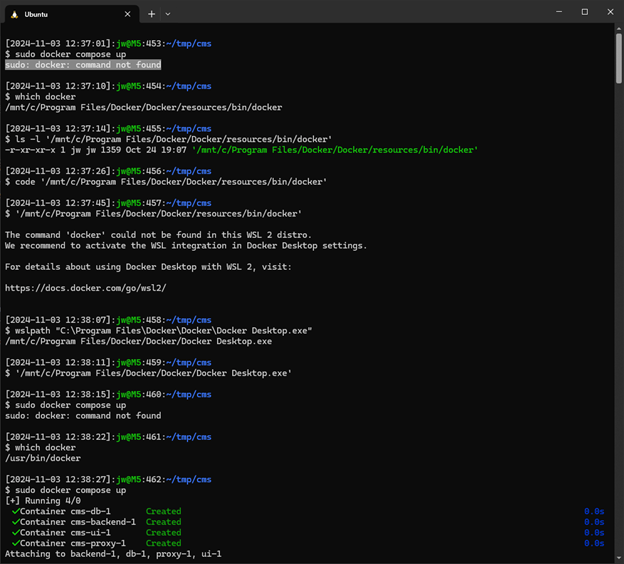
This blog post provides one explanation for the “docker : command not found” error. Specifically, you may need to start Docker Desktop. If you run a command such as the following: And receive the following error: The issue may be that you need to start Docker Desktop. The symptoms are a little strange, because theContinue reading “One Explanation for docker : command not found”
Add a Shortcut to My Computer/This PC to the Taskbar in Windows [10]

I like to open Windows File System Explorer with “This PC” (the artist formerly known as both “My Computer” and “Computer”) selected, which gives me convenient access to my devices. In at least Windows 10, you can follow these instructions to place a shortcut to “My Computer” on the Windows Taskbar. On the desktop, createContinue reading “Add a Shortcut to My Computer/This PC to the Taskbar in Windows [10]”
Manually Invoking Web Services with Very Short-Lived Tokens
This blog post explains one way that you can use the curl command to invoke Webservice APIs where those services depend on very short-lived tokens that you must retrieve from another service. I must pass an Authentication token to services: To get the token, I have to pass a username and password to a differentContinue reading “Manually Invoking Web Services with Very Short-Lived Tokens”
Mount Remote Apple File System from Windows Subsystem for Linux (WSL)

I accidentally posted this to the wrong blog! https://deliverystack.net/2024/10/21/mount-remote-apple-file-system-from-windows-subsystem-for-linux-wsl/ Here it is again. This blog post provides shortcuts to mount a remote Apple file system under Windows Subsystem for Linux. You can use this technique to access Apple file systems from Windows Subsystem for Linux and Windows itself. You can use Airdrop to copy imagesContinue reading “Mount Remote Apple File System from Windows Subsystem for Linux (WSL)”
 wslguy.net