
This blog post explains how you can use OneDrive to share Bash shell history between different accounts and machines. Sharing OneDrive including bin and my personal Bash configuration to multiple Windows machines with WSL has been highly valuable for me. For example, I use a shared file on OneDrive to configure Bash for all accounts on all my WSL machines. I considered adding a link in this post to the live copy of my shell configuration file as described in WSL: Configure Bash Shell Initialization – wslguy.net (unfortunately, it may sometimes contain private information). I think that sharing command history across shell sessions could be useful as well.
In a previous blog post, I explained how you can use a symbolic link from something like ~/bin to share a OneDrive subdirectory between machines (of course, you could share the entire OneDrive to both machines):
I also described how you can “cleanup” Bash shell history at startup, by which I mean removing duplicate entries:
You can combine aspects of these techniques to share Bash shell history between different accounts and machines.
Bash maintains command history in the file specified by the HISTFILE environment variable. If multiple accounts (potentially on different machines) set HISTFILE to use the same file (such as ~/bin/.bash_history, where ~/bin is a symbolic link to /wslbin on OneDrive), those accounts will share a shell history. This approach might be worth considering and might have advantages for some use cases.
Whether shells update the HISTFILE immediately or when they close, the potential impact of those updates on other shells could be disruptive to other shells. Anyway, that use case seems to be covered by setting histappend and PROMT_COMMAND.
//TODO: try itSo instead, I chose to store shared history in the file /wslbin/.bash_history.
To start fresh without losing any history that I might want to access, I renamed my existing HISTFILE files.
I already had some code in ~/bin/.jwshrc to make history entries unique with most recently used entries last, so I basically just added a file to an existing command.
While on the topic of history, I suggest setting the histappend shell option to cause the shell to append to the HISTFILE immediately, before it invokes each command. Note that this is specific to Bash.
# ensure append mode for Bash command history
shopt -s histappend
# shopt/histappend is specific to Bash.
# For other shells try something like:
# PROMPT_COMMAND="history -a;$PROMPT_COMMAND"
# Maybe try both in Bash to have immediate history sharing across sessions.
Also, set HISTFILESIZE HISTSIZE to reasonable limits to control how much history the shell maintains interactively:
export HISTFILESIZE=10000
export HISTSIZE=10000
In general, I want local history to appear before shared history, so the order of files to the nl command is important.
# merge and eliminate duplicate lines in local and shared histories
# nl # merge the contents of both files in order
# sort # reverse the order (makes it easier to keep latest)
# sed # trim
# uniq # filter non-unique lines
# sort # sort by line number added by nl
# sed # remove lines that contain less than 8 non-whitespace characters
# cut # remove line numbers
tmp="/tmp/.bash_history.$$.tmp."`date +%N`
#cp $HISTFILE /tmp/`basename $HISTFILE`.$USER.bak
tmp="/tmp/.bash_history.$$.tmp."`date +%N`
nl ~/bin/.bash_history $HISTFILE \
  | sort -f -b +1 -r -i \
  | sed 's/[[:blank:]]*$//' \
  | uniq -f 1 -i \
  | sort -n \
  | cut -c8- \
  | sed 's/^[[:space:]]*//; s/[[:space:]]*$//; /\([^[:space:]]\{1\}.*\)\{8\}/!d' > $tmp
mv $tmp ~/bin/.bash_history
cp ~/bin/.bash_history $HISTFILE
Now, after I log in, my local HISTFILE contains the merged history.
Notice that only after this login does the local history replicate to shared history. It should be possible to use the PROMPT_COMMAND environment variable (which could generate excess activity) or trap shell exists and update the shared history file immediately.
One more note about history is that I put the entry number (\!) in my prompt.
export PS1='\n[\D{%F %T}]:\[\033[01;32m\]\u@\h\[\033[00m\]:\!:\[\033[01;34m\]\w\[\033[00m\]\n$ 'Some aliases may also helpful:
alias h='history | cut -c8- | batcat -l sh'
alias hg='history | cut -c8- | batcat -l sh | grep'
alias cds='history | cut -c8- | batcat -l sh | grep "cd "'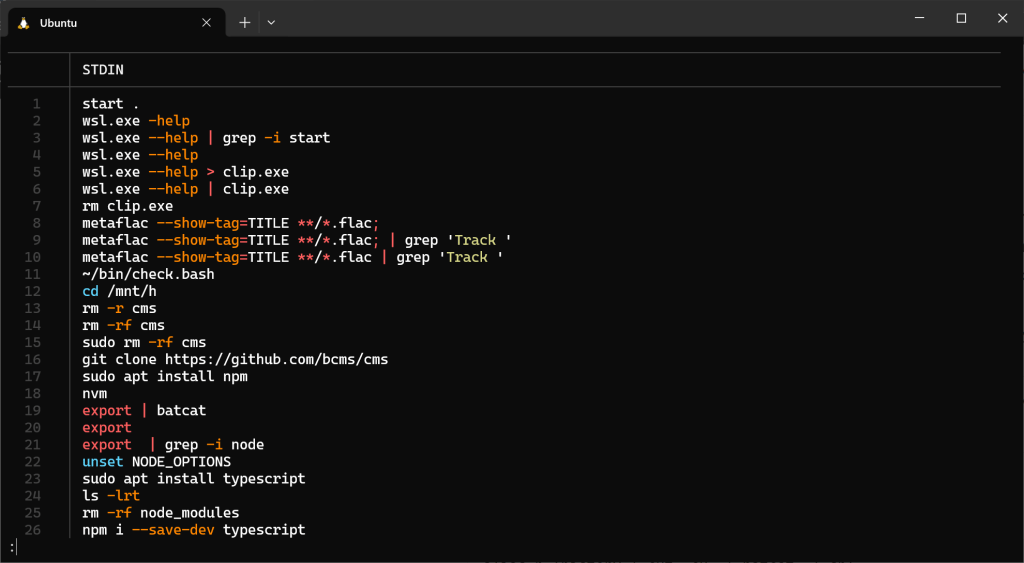
Hmm, sharing my current working directory history between accounts could be useful as well. Luckily, that’s a short list, and maybe not worth the effort.
 wslguy.net